GuideE-commerce · all image models

AI product photos for e-commerce

Model picks, prompts, and post-processing on Gen NanoBanana

Short answer

Use NanoBanana 2 with product references to lock SKU geometry, NanoBanana Pro for premium lifestyle heroes, and GPT Image 2 when label text must stay legible — then finish with the AI background remover or upscaler before you upload to Shopify or Amazon.
Copyable promptReal Pro sampleMarketplace checklist
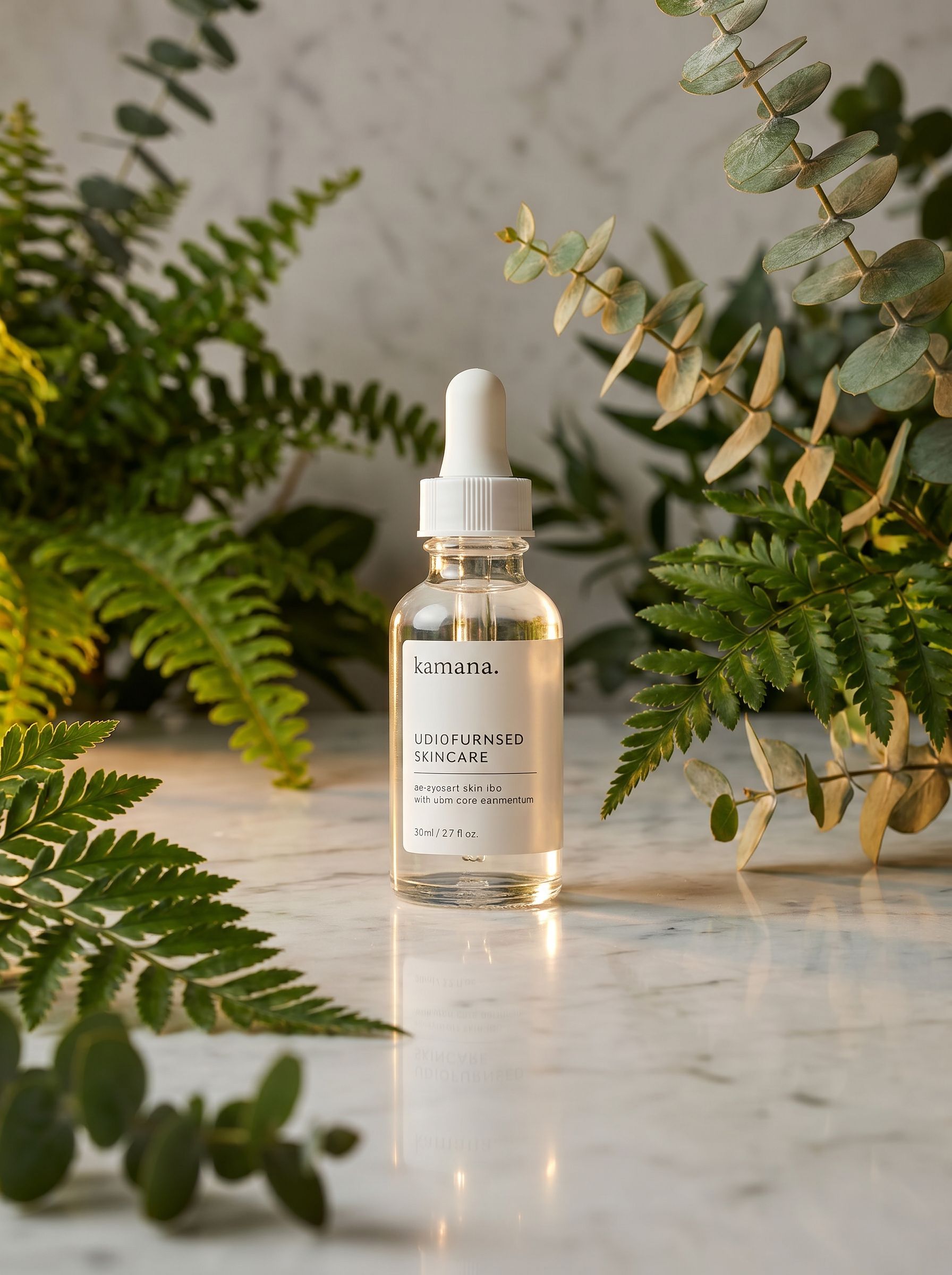
NanoBanana Pro result: premium ecommerce hero with lifestyle props, glossy reflections, and consistent brand palette
Use cases

What can you shoot on Gen NanoBanana?

Five image models and two post-processing tools share one Create workbench — pick the lane that matches your marketplace.

Shopify & DTC heroes

1:1 or 4:5 studio frames with marble, wood, or gradient sweeps. Quote exact label strings and forbid extra logos in the prompt constraints slot.

Amazon main image

Pure white (#FFFFFF) background, product fills ~85% of frame, no props touching edges. Generate in Pro or GPT Image 2, then verify with the background remover if edges need cleanup.

Lifestyle variants

Attach one product reference and describe only the scene change — kitchen counter, bathroom shelf, outdoor picnic — in NanoBanana 2 for up to fourteen reference-guided batches.

Packaging & label mockups

NanoBanana Pro and GPT Image 2 handle multilingual typography. Put headline copy in quotes and name margin/grid language for print-ready layouts.

Catalog colorways

Lock references for bottle shape, swap cap or label color in text. Batch at 2K in NanoBanana 2 before a final 4K Pro export for ads.

Print & OOH crops

Start 3:4 or 2:3 at 4K on Pro, then run the AI image upscaler (4× Real-ESRGAN or NanoBanana Pro 4K upscale) for large-format exports.

Model picks

Which AI image model for product photos?

Credits shown are per successful 2K image — see /pricing for 1K, 4K, and GPT quality tiers.

ModelBest forReferences2K creditsStudio
NanoBananaFast layout exploration before you commit credits to 2K/4K tiersOptional27Open →
NanoBanana 2SKU-locked geometry with up to 14 product references at 1K–4KUp to 1468Open →
NanoBanana ProPremium heroes, glossy reflections, and lifestyle props (see sample output)Reference-guided edits101Open →
GPT Image 2Legible ingredient lists, nutrition panels, and quoted packaging textReference edits86Open →
Seedream 4.5Cinematic campaign stills and poster-style product scenes at 2K/4KMulti-reference edits27Open →

Between NanoBanana tiers? Read NanoBanana 2 vs Pro. For portrait style tests, see the five-model comparison.

Copy & paste

E-commerce product hero prompt

Skincare bottle template — swap materials and surfaces, keep the six-slot structure from our prompting guide.

E-commerce product hero

NanoBanana Pro · 2K · 1:1 · product reference optional

Example prompt

Studio product photograph of a frosted glass skincare dropper bottle with pearlescent white label and silver cap, subtle teal accent on the cap ring. Bottle centered on cool gray marble surface. Diffused softbox lighting from upper left, gentle shadow under base, shallow depth of field with orchid petal softly out of focus in background. Premium commercial photography, accurate glass refraction and label geometry. Pure background suitable for Shopify hero crop. No watermark, no unrelated logos, no distorted packaging.
NanoBanana Pro result: premium ecommerce hero with lifestyle props, glossy reflections, and consistent brand palette

Sample output

Tip: Attach a product reference when label geometry must stay accurate. NanoBanana 2 is ideal for multi-reference iteration; NanoBanana Pro for premium hero shots like the sample output. Full six-slot formula →
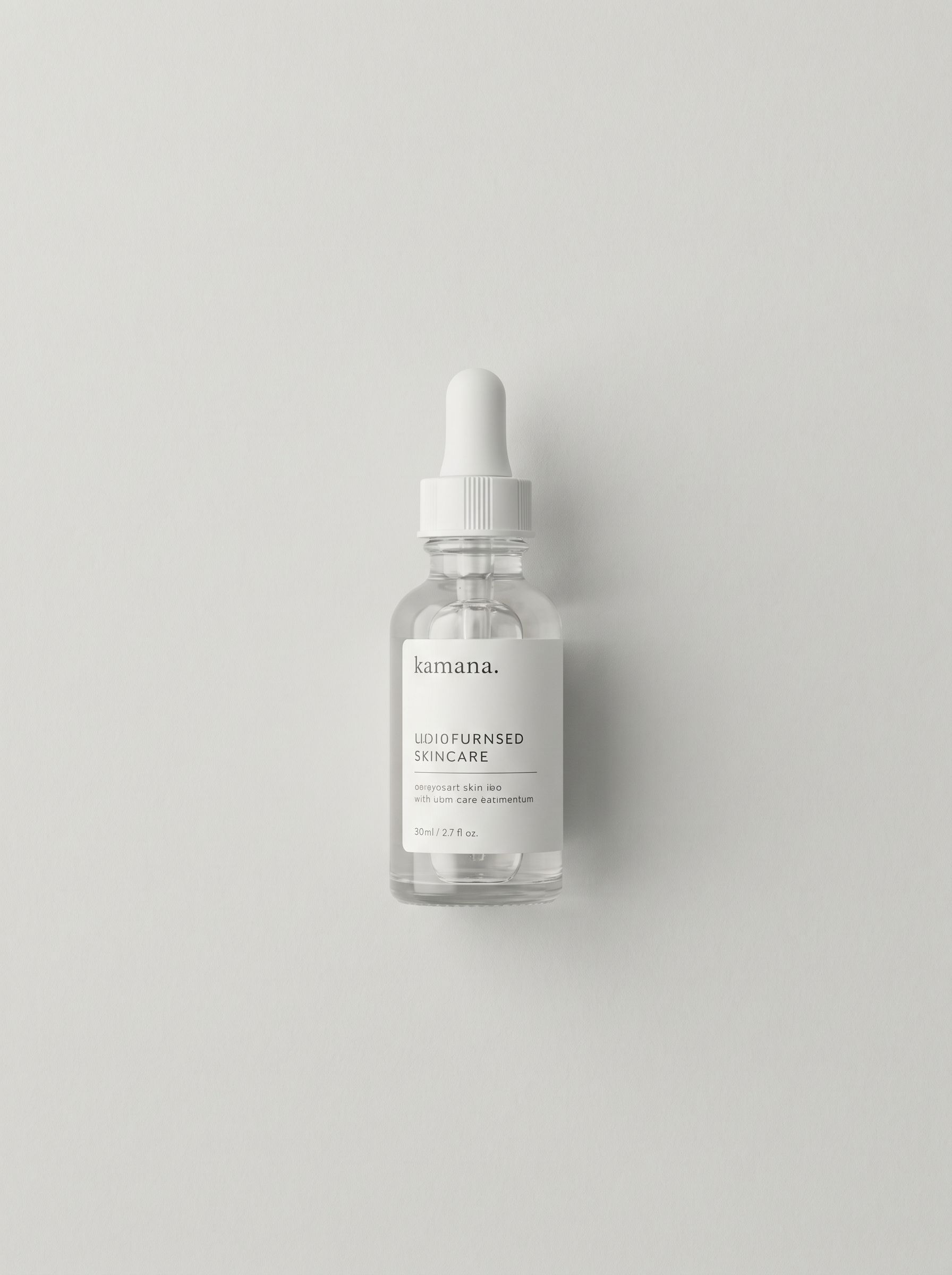
Basic product photo before NanoBanana Pro — skincare bottle on plain backdrop, flat lighting

Before — flat packshot

NanoBanana Pro result: premium ecommerce hero with lifestyle props, glossy reflections, and consistent brand palette

After — NanoBanana Pro lifestyle hero

In Create

Product photo workflow

Reference → prompt → 2K control → post-process → export.

Attach a product reference

Upload a phone photo or packshot in Create. On NanoBanana 2, add up to fourteen stills when palette, silhouette, or label layout must stay stable across variants.

Write a six-slot prompt

Name materials, surface, lighting direction, and camera framing. Add marketplace constraints: no watermark, no extra logos, pure white background when required.

Generate at 2K first

Run one control frame at 2K. Fix lighting or composition before you batch colorways or upscale to 4K — credits apply only on successful outputs.

Post-process on Gen NanoBanana

Open the AI background remover for cutouts, or the AI image upscaler for 2×/4× enlargement. Use NanoBanana Pro upscale when you need creative detail steering with a prompt.

Export for your channel

Download from My Creations, crop to marketplace safe zones, and keep the prompt in your catalog for the next SKU refresh.

Post-process without leaving Gen NanoBanana

Remove backgrounds for marketplace cutouts or upscale winners to print resolution — credits quoted per successful run on each tool page.

Channels

Marketplace framing rules

Tune prompts and aspect ratios before you batch an entire catalog.

Amazon main image

White background, product only, no text overlays or badges. If the model adds props, regenerate with stricter constraints or mask with the background remover.

Shopify collection grids

Consistent 1:1 or 4:5 aspect across SKUs. Lock aspect ratio in Create while you iterate lighting only.

Social ads

4:5 and 9:16 variants from the same reference set. Seedream 4.5 leans campaign-polish; NanoBanana Pro leans photoreal gloss.

Frequently asked questions

Which Gen NanoBanana model is best for product photography?

NanoBanana 2 when you have a product reference and need accurate geometry at 2K or 4K. NanoBanana Pro for premium lifestyle heroes with reflections and props. GPT Image 2 when label or ingredient text must stay legible. NanoBanana (v1) remains the cheapest way to explore layout before a final tier.

How many reference images can I attach?

NanoBanana 2 accepts up to fourteen reference stills in the Create studio — ideal for locking bottle shape, cap color, and label layout while you change backgrounds. NanoBanana Pro supports reference-guided edits for brand assets and packaging.

Can I remove the background after generating?

Yes. Use the AI background remover at /ai-background-remover for standard matting, or NanoBanana Pro mode when you need prompt-guided cutouts on complex edges.

How do I upscale a product photo to 4K?

Open /ai-image-upscaler for 2× or 4× Real-ESRGAN super-resolution, or pick NanoBanana Pro upscale to steer texture and detail with an optional prompt. You can also generate natively at 4K on NanoBanana 2 or Pro in Create.

What aspect ratio should I use for e-commerce?

1:1 for Amazon and Shopify grid thumbnails, 4:5 for feed ads, and 16:9 for storefront banners. Set aspect ratio in Create before you batch variants so crops stay consistent.

Where is the copyable product prompt?

This guide includes the same skincare bottle hero prompt from our AI image prompting guide — paste it into Create, swap bracketed product details, and attach your SKU reference.

More guides

Keep comparing

Evergreen pick-the-right-model guides with real outputs and credit context.

Prompting

AI image prompting

Six-slot prompt formula with copyable product, portrait, and reference-guided character examples for all five Gen NanoBanana image models.

Read guide
All models

Model karşılaştırması

Compare NanoBanana, NanoBanana 2, Pro, Seedream 4.5, and GPT Image 2 on one nighttime portrait prompt.

Read guide
NanoBanana

NanoBanana 2 vs Pro

Resolution, text rendering, references, and cost — pick the right NanoBanana tier.

Read guide
Video

AI video comparison

Compare Veo 3.1 Lite, Sora 2, and Seedance 2.0 on Gen NanoBanana — durations, audio, references, credits, and sample clips.

Read guide

Shoot your next SKU in Create

Attach a packshot, paste the product prompt below, and iterate at 2K before you upscale or remove backgrounds.