AI Image

NanoBanana

Fast google/nano-banana drafts — pick aspect ratio, add optional references, and generate with flat per-image credits in the Create studio.

nano-banana

Fast drafts · daily-friendly

Image Reference (Optional)
0 / 10

Drop files here or click Add Image — PNG, JPG, WebP up to 10 references.

Preview examples

My Creations
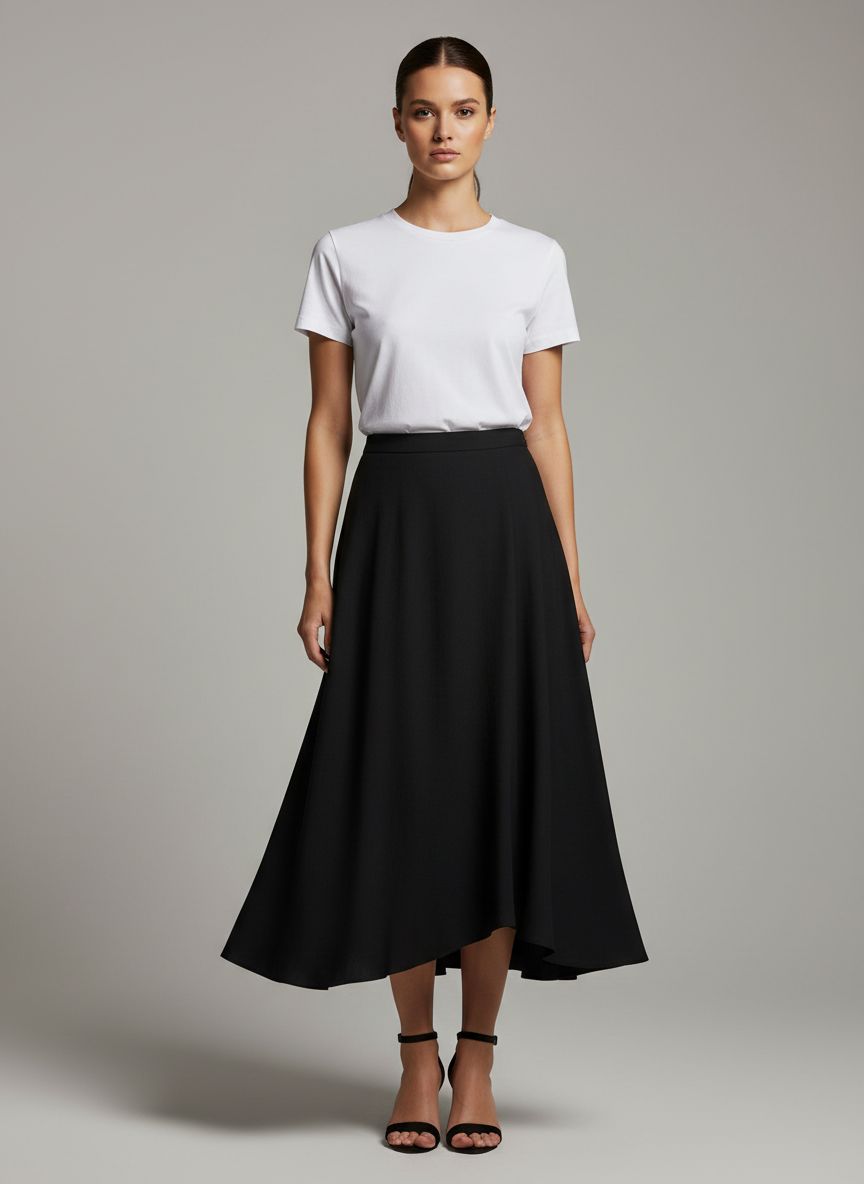
Before
Fashion editorial before NanoBanana — model in minimal white tee and black skirt on neutral studio backdrop
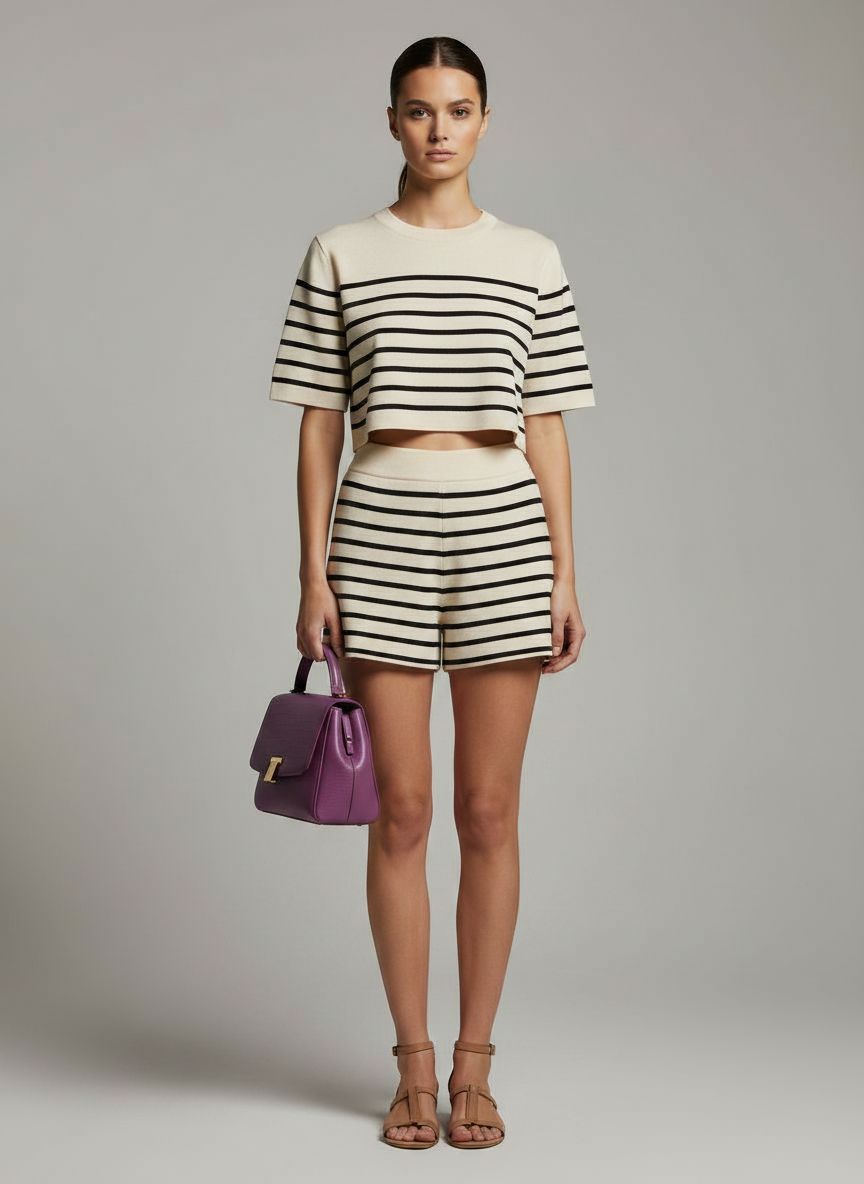
After
NanoBanana AI result: same model wearing striped crop top, matching shorts, purple handbag, and sandals with natural fabric folds
NanoBanana

Why use NanoBanana?

Generate and edit images in your browser with NanoBanana — prompts, references, and credit-based billing on Gen NanoBanana.

Quick creative drafts

Turn short prompts into shareable images in seconds — pick 1:1, portrait, landscape, or widescreen framing.

Reference-friendly

Attach reference stills so the model can echo palette, pose, or product silhouette without rebuilding the scene in words.

Low credit entry point

A fixed per-image price keeps experimentation affordable while you learn what works for your brand.

Familiar workbench

Use the same prompt box, style presets, and output settings row you already know from `/create`.

Batch-ready prompts

Paste structured JSON prompt lists to queue several variations in one session.

History & downloads

Finished images land in My Creations with full prompt recall and one-click copy.

Simple credit pricing

27 credits per image. Buy credit packs or subscribe on the pricing page — pack credits are valid for 1 year from purchase.

View pricing

How it works

Prompt, generate, and download — three steps with NanoBanana in the studio above.

  1. 01

    Set aspect ratio & prompt

    Choose a frame (1:1 default, or portrait / landscape / widescreen). Write subject, lighting, and style. Add optional references.

  2. 02

    Generate with NanoBanana

    Run NanoBanana in the studio above. Credits apply only when the job completes successfully.

  3. 03

    Download or iterate

    Open the result in the generations panel, refine the prompt, and run again.

Typical use cases

NanoBanana AI image example: social thumbnails — 1:1 avatar, vertical story frame, and widescreen cover layout on dark UI mockup

Social thumbnails

Produce 1:1 avatars, 9:16 stories, and 16:9 covers from one prompt family with NanoBanana aspect controls.

Try it now
NanoBanana AI image example: mood board collage of art direction drafts for creative brainstorming

Brainstorming

Explore art direction with fast NanoBanana drafts before moving to NanoBanana 2 for higher-resolution masters.

Try it now
NanoBanana AI image example: lightweight reference-guided edit — product photo steered by reference stills for palette, pose, and background

Lightweight edits

Use references to nudge an existing photo toward a new background or color grade.

Try it now

Model comparison

Same prompt, five AI image models

See how NanoBanana, NanoBanana 2, NanoBanana Pro, Seedream 4.5, and GPT Image 2 interpret one nighttime portrait prompt — with real outputs, credits, and pick-the-right-model guidance.

View full comparison
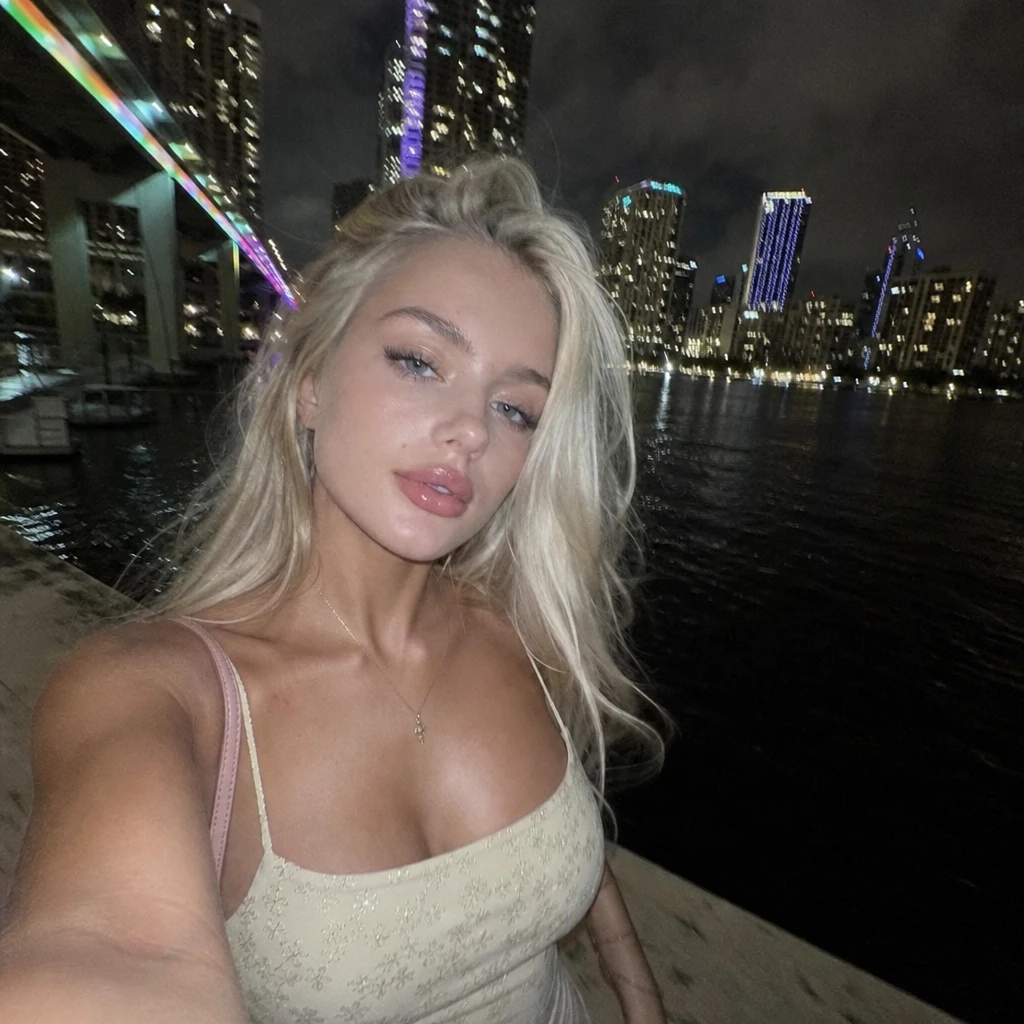
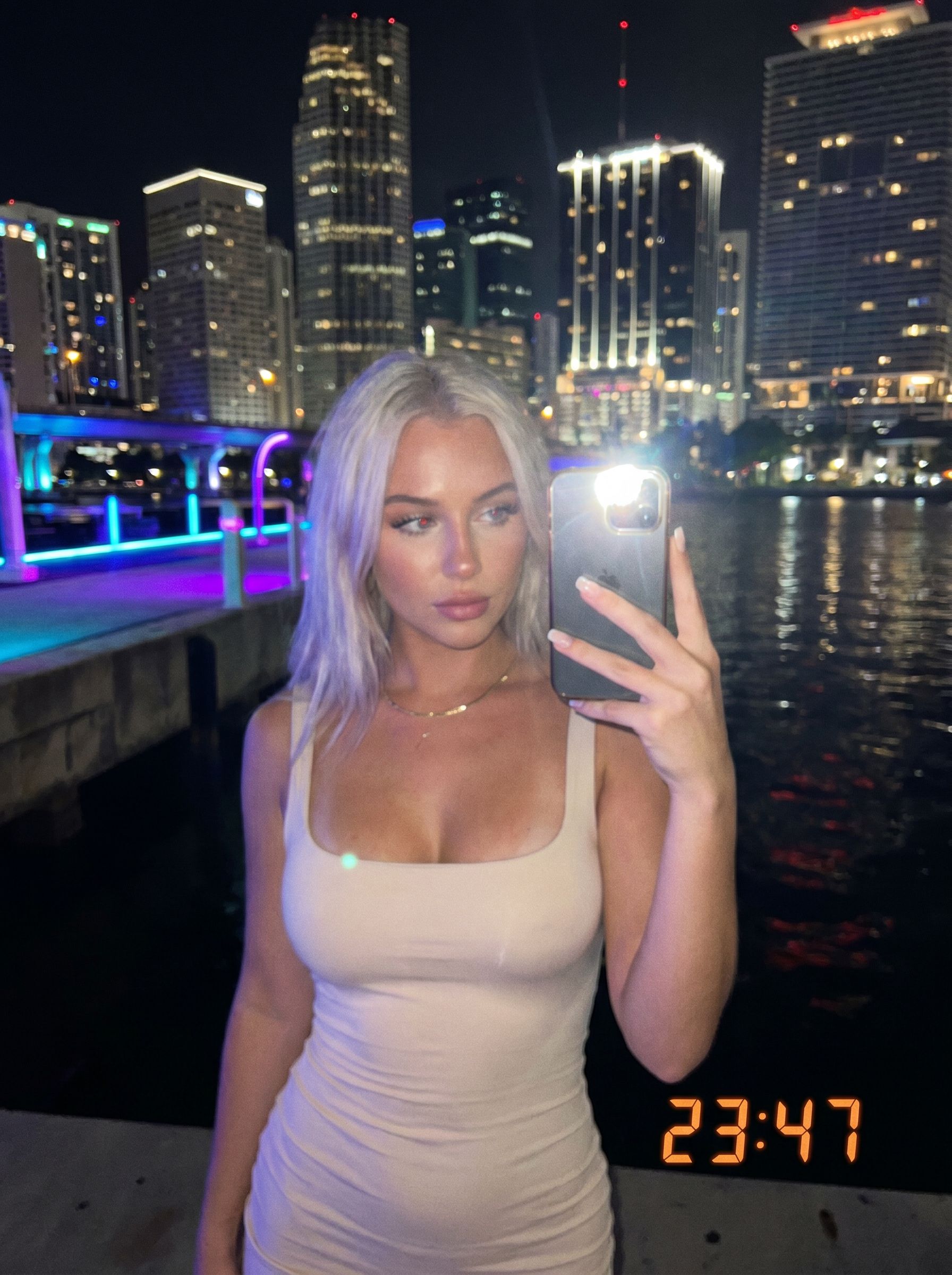
Gen NanoBanana AI image model comparison — GPT Image 2 OpenAI output: mirror-style nighttime selfie with visible phone, LED timestamp, ribbed tank top, neon waterfront backdrop

GPT Image 2

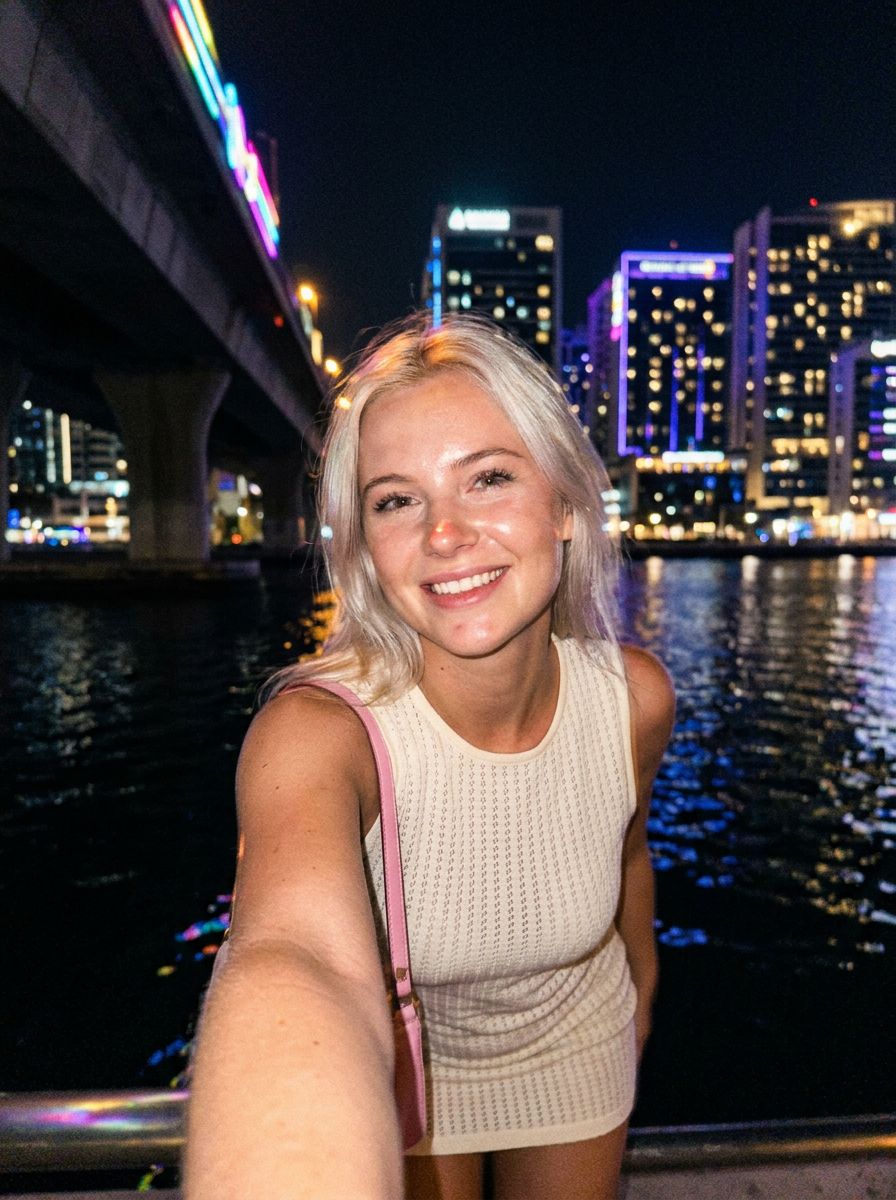
Gen NanoBanana AI image model comparison — NanoBanana 2 output: nighttime waterfront portrait selfie, warm smile, natural skin texture, fine hair strands against dark sky

NanoBanana 2

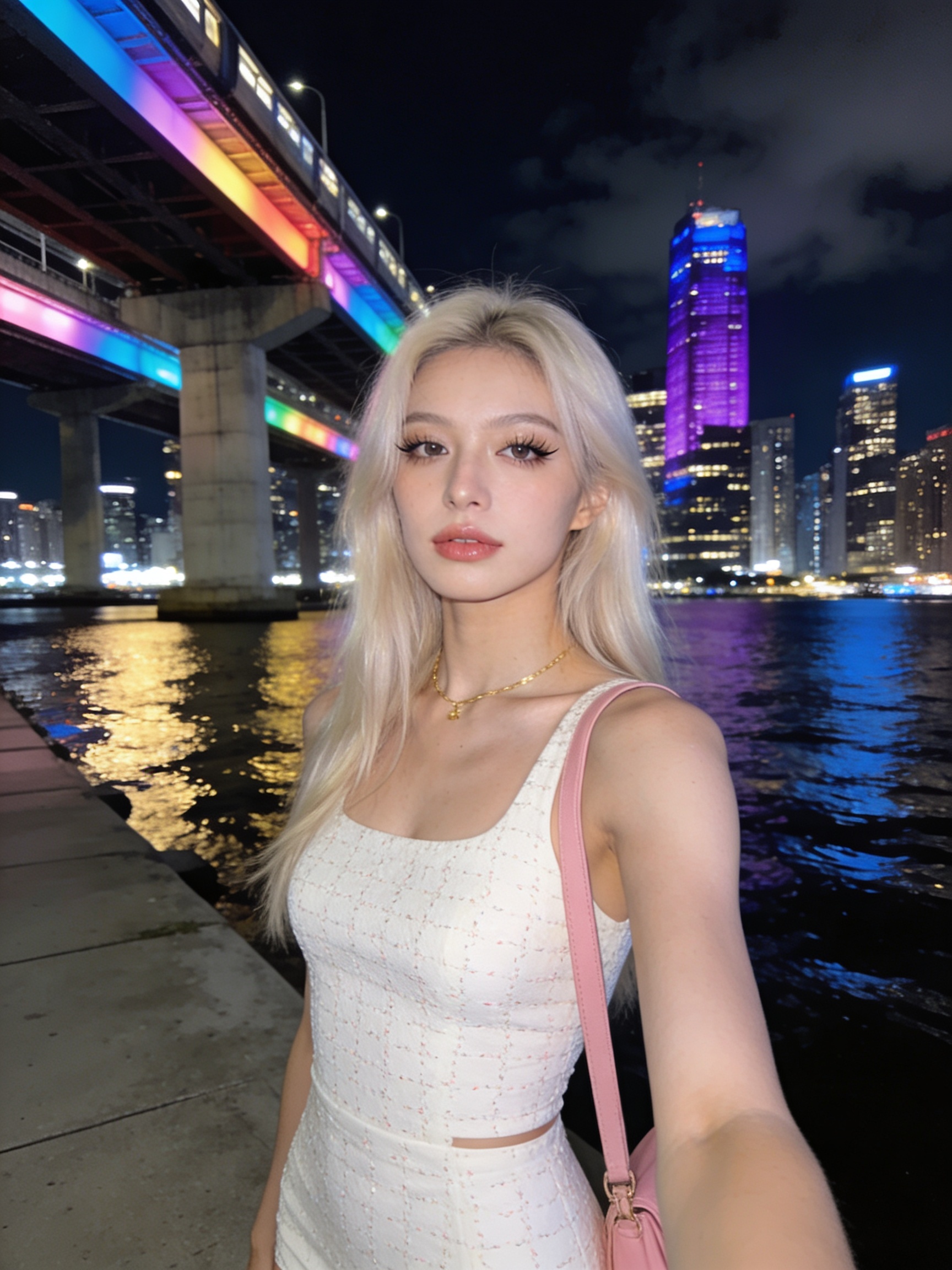
Gen NanoBanana AI image model comparison — NanoBanana Pro output: nighttime waterfront portrait selfie, sharp makeup and fabric texture, vivid neon bridge and train lights, crisp city reflections

NanoBanana Pro

Gen NanoBanana AI image model comparison — Seedream 4.5 ByteDance output: nighttime waterfront portrait selfie, soft smile, smooth cinematic skin, embroidered top detail, purple-accent skyline

Seedream 4.5

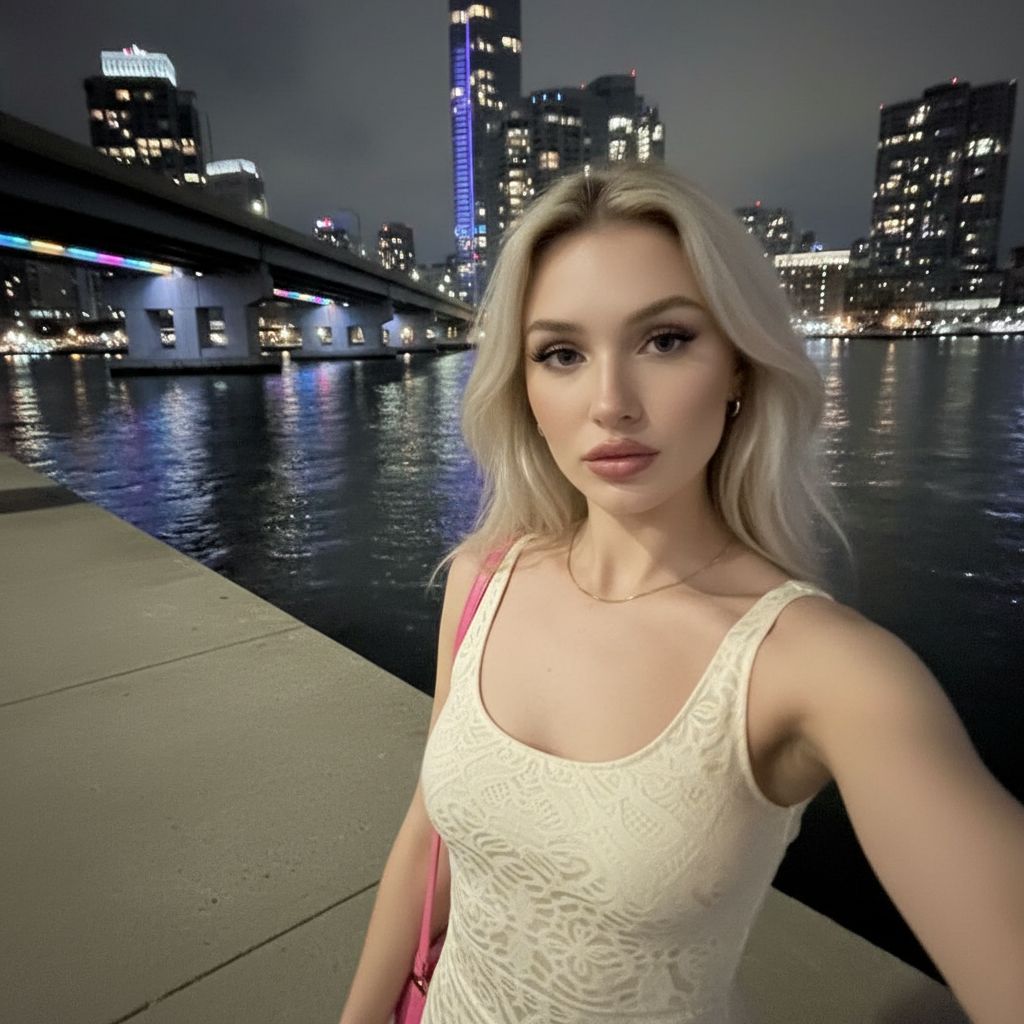
Gen NanoBanana AI image model comparison — NanoBanana google/nano-banana output: nighttime waterfront portrait selfie, neutral expression, polished skin, rainbow bridge lights and city skyline reflected in water

NanoBanana

New to prompting? Start with our AI image prompting. Choosing between NanoBanana tiers? Read NanoBanana 2 vs Pro.

Frequently asked questions

Which model powers this page?

This studio uses the fast NanoBanana tier. It is not NanoBanana Pro; for higher resolution open NanoBanana 2 (1K–4K) or pick another model in the header menu.

What aspect ratios and resolution does NanoBanana support?

You can pick from eleven workbench ratios (including 1:1, 9:16, 16:9, and 21:9). Output is optimized for fast web drafts at standard resolution. For 2K or 4K exports, open the NanoBanana 2 studio.

How many credits per image?

NanoBanana uses a flat per-image credit price shown in the workbench before you generate. Failed runs are not billed.

Can I use reference images?

Yes — upload reference stills in the workbench. They are sent with your prompt to guide composition and style; Auto aspect can match reference framing when refs are attached.

How is Gen NanoBanana related to Google Nano Banana?

Gen NanoBanana is our hosted browser studio for Google's NanoBanana model. You pay with Gen NanoBanana credits; we handle generation, storage, and My Creations history.

Ready to try NanoBanana?

Write a prompt in the studio above, or compare credit packs before your first run.